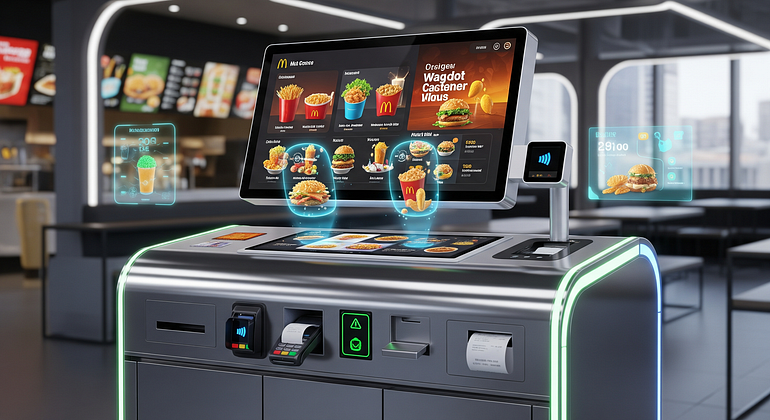
Walk into any busy fast-food or fast-casual restaurant today and you’ll likely notice something different: instead of customers waiting in long lines, many head straight to a bright touch-screen kiosk. These digital self-service stations let guests browse the menu, customize their food, and pay quickly — without needing to wait for a cashier. A self-service kiosk system is simply a touchscreen device that handles ordering, payment, and sometimes loyalty sign-ins in a smooth, user-friendly way.
In 2025, more restaurants than ever are adopting kiosk technology to reduce operational costs, speed up service, and improve the overall guest experience. From quick service to fast casual and even some full-service restaurants offering takeout, the movement is growing fast. This article breaks down the business reasons behind the shift and explains how kiosks impact everyday customers and staff on the ground.
What Are Self-Service Kiosk Systems in Restaurants and How Do They Work
Self-service restaurant kiosks are digital ordering systems installed inside a restaurant to help guests place their own orders. They typically feature a large, easy-to-read touchscreen interface that displays the full menu with photos, descriptions, and customization options. Instead of approaching a traditional cashier, guests simply walk up to a kiosk, browse the items, select their meal, customize it exactly how they like it, and complete the payment process.
Behind the scenes, these kiosks are fully integrated with the restaurant’s POS system. Once a customer places an order, the details instantly flow to the kitchen display system (KDS) or ticket printer, allowing the kitchen team to start preparing the food right away. Many kiosks also connect to loyalty programs, letting returning guests log in, redeem offers, or earn points automatically. Some advanced systems even recommend meals based on past orders.
The technology is designed to be simple, intuitive, and fast. Clear buttons, multilingual support, and an easy checkout flow help customers of different ages and experience levels use it comfortably. While the tech behind it involves POS integrations and cloud-based software, the user experience remains simple: tap, customize, pay, and collect your order. Everything is streamlined to reduce friction and make ordering more enjoyable for customers while keeping operations smooth for the staff.
Basic Features of Restaurant Self-Service Kiosks
Self ordering kiosks come with a set of core features that make ordering easier and more personalized:
- Digital Menu with Photos — Clear visuals help guests understand exactly what they’re ordering.
- Smart Upsell Prompts — The system suggests add-ons such as fries, drinks, desserts, or meal upgrades.
- Language Options — Customers can select their preferred language for a comfortable experience.
- Multiple Payment Methods — Card, UPI, mobile wallet, QR code, NFC, and sometimes cash acceptance.
- Receipt or Table Number Printing — Ensures the kitchen knows where to deliver food or when to prepare takeout.
These features reduce human errors, make ordering faster, and give guests more control.
Types of Restaurants Using Self-Service Kiosk Systems
Self-service kiosks were once limited to large fast-food brands, but in 2025, they are used in many types of food businesses:
- Fast-food and Quick Service Restaurants like burger joints, pizza spots, and fried chicken outlets.
- Fast Casual Restaurants, especially those offering customized meals.
- Food Courts and Mall Outlets where customer traffic is high.
- Campus Dining and Cafeterias with rapid service needs.
- Airport Restaurants where speed and convenience matter.
- Smaller Local Restaurants, cafés, and multi-location groups adopting kiosks to compete with big chains.
This wide adoption shows that kiosk technology is not limited to global brands — everyone from independent shops to growing restaurant groups can benefit.
Why Restaurants Are Switching to Self-Service Kiosks: The Big Business Benefits
Restaurants are embracing kiosk systems for a simple reason: they make business more efficient and profitable. From reducing labor costs to boosting revenue, kiosks provide measurable improvements that owners can see daily. Let’s break down the major advantages.
Reducing Labor Costs and Handling Staff Shortages
In many restaurants, finding and retaining staff is still a challenge. Rising wages and a shortage of experienced workers have made front-counter staffing expensive. Self-service kiosks help solve this problem by reducing the number of employees needed at the ordering desk.
Instead of placing multiple staff members at the counter, restaurants can operate with fewer people while still handling high order volumes. For example, during a busy lunch rush, four kiosks can handle the workload of three cashiers — without feeling overwhelmed. Staff can then be reassigned to more valuable tasks such as food preparation, quality checks, and customer support.
Importantly, kiosks do not completely replace human workers. They act as a support tool that helps restaurants operate smoothly even with a smaller team, ensuring consistent service during peak hours without increasing labor costs.
Faster Lines and Shorter Wait Times for Guests
A major advantage of kiosks is speed. Traditional ordering involves back-and-forth conversations, waiting for the cashier to finish with the previous customer, and the manual handling of custom requests. Kiosks eliminate these bottlenecks.
Multiple guests can order simultaneously, which significantly reduces waiting lines. The digital interface guides customers through a quick and structured ordering flow, and features like saved favorites and repeat orders make the process even faster. During peak times — such as lunch hours, weekends, or events — kiosks ensure that lines stay short and customers move through the restaurant efficiently.
With faster service, restaurants can serve more people per hour, increasing daily revenue and improving customer satisfaction.

Higher Check Sizes Through Smart Upselling
Self-service kiosks are excellent at increasing average order value (AOV). Unlike human cashiers, kiosks consistently offer upsells at the right time. If someone selects a burger, the kiosk may suggest adding fries or upgrading to a meal. After completing a combo, it may recommend a dessert or beverage.
People browsing menus at their own pace are more likely to consider add-ons or new items. The clear images, transparent pricing, and lack of pressure create a comfortable environment where guests explore more options. Many restaurants report AOV increases of 15–30% after adopting kiosks.
This increase in revenue happens automatically, without additional training or effort from staff.
Fewer Order Errors and More Accurate Customization
Restaurant ordering errors can lead to wasted food, unhappy customers, and refund costs. Self-service kiosks significantly reduce these issues by allowing guests to choose exactly what they want.
- Remove toppings
- Add extras
- Select portion sizes
- Choose spice levels
- Review their full order before paying
When a customer taps “no pickles” or “extra cheese,” the instructions go directly to the kitchen without risk of miscommunication. This accuracy improves customer satisfaction and reduces waste, saving money for the restaurant.
Better Data and Menu Insights for Restaurant Owners
Self-service kiosks collect valuable data that helps restaurant owners make smarter decisions. They track:
- Best-selling items
- Menu combinations that perform well
- Time-of-day ordering patterns
- Coupon usage
- Loyalty program activity
This information helps restaurants adjust their menu layout, optimize pricing, plan promotions, and improve stock management. The insights allow businesses to move from guesswork to data-driven decisions, ultimately boosting profitability.
How Self-Service Kiosks Change the Customer Experience
From a guest’s perspective, self-service kiosks offer several advantages — but they also come with concerns that restaurants must address. Here’s how they shape the overall dining experience.
More Control, Privacy, and Time to Explore the Menu
Many guests enjoy having full control over their order. With kiosks, they can browse the menu without pressure from a line behind them or a cashier waiting for them to decide. This is especially helpful for people who want to customize their meals or explore new options.
Kiosks also offer privacy. Someone ordering a large meal, using coupons, or requesting allergy-related modifications can do so discreetly. Clear photos and detailed descriptions help customers make informed choices, reducing uncertainty and improving satisfaction.
Accessibility, Ease of Use, and Design Challenges
Well-designed kiosks support a wide range of users. Features like:
- large fonts
- simple navigation
- audio support
- voice guidance
- multiple languages
make kiosks easier for everyone — including older guests and those with disabilities.
However, poorly designed interfaces can frustrate users. Small text, confusing steps, or unclear buttons can cause problems. That’s why restaurants need staff nearby to assist anyone who needs help. Accessibility planning is essential to ensure kiosks truly enhance the dining experience.
Will Kiosks Replace Human Service Completely?
A common concern is that kiosks will take away jobs or remove human warmth from restaurants. In reality, kiosks typically shift roles rather than eliminate them. Staff members focus on greeting customers, ensuring food quality, assisting guests with technology, and maintaining a welcoming environment.
Most restaurants choose a hybrid approach — keeping both kiosks and staffed counters. This gives customers a choice and preserves the human touch for those who prefer personal interaction.
Conclusion
Self-service kiosks are becoming a major part of modern restaurant operations. They help owners reduce labor costs, serve customers faster, increase average ticket size, and reduce errors. At the same time, they provide valuable data that helps restaurants grow strategically. From the customer’s point of view, kiosks offer convenience, privacy, and a more personalized ordering experience — although accessibility and design must be carefully considered.
As we move deeper into 2025 and beyond, more restaurants of all sizes will adopt kiosk systems, often alongside mobile ordering and traditional counters. Next time you visit a restaurant, you’ll likely see kiosks not just as a tech trend but as a tool shaping the future of how we order, eat, and enjoy our dining moments.
FAQs
1. Do self-service kiosks reduce the need for staff?
They reduce front-counter staffing but do not eliminate staff entirely. Workers are shifted to food preparation, customer assistance, and operations.
2. Are kiosks only for large restaurant chains?
No. Many small and medium-sized restaurants use kiosks to reduce costs and improve service.
3. Do kiosks increase sales?
Yes. Smart upselling, menu visibility, and smooth ordering often lead to higher average order value.
4. What payment options do kiosks support?
Most kiosks offer card payments, UPI, QR payments, mobile wallets, NFC, and sometimes cash.
5. Are kiosks easy to use for older customers?
Well-designed kiosks with large fonts, simple steps, and staff support near the kiosk make them easy for all age groups.
6. Do kiosks help reduce order errors?
Absolutely. Customers can customize their orders and review them before paying, reducing miscommunication.
7. Can kiosks integrate with loyalty programs?
Yes, many systems support loyalty login, coupon redemption, and reward point earning.